 Fen
Fen
Your notes, and an AI that answers from them.
Fen is a native Markdown editor for Mac, iPhone and iPad that turns your folders into a knowledge base. Ask a question and get an answer with numbered sources. Search by meaning, on your device. Add the AI you trust, and every AI edit goes through one gate you can undo. Your notes stay plain .md files. Free and open source.
Signed and notarized by Apple, so it opens without Gatekeeper warnings. Needs macOS 15 or later (iOS 18 or later on iPhone and iPad).
What makes Fen different
A fen is a wetland that feeds itself. Your notes can work the same way: connected, searchable and always growing, while they stay plain files.
Ask your notes, get sources
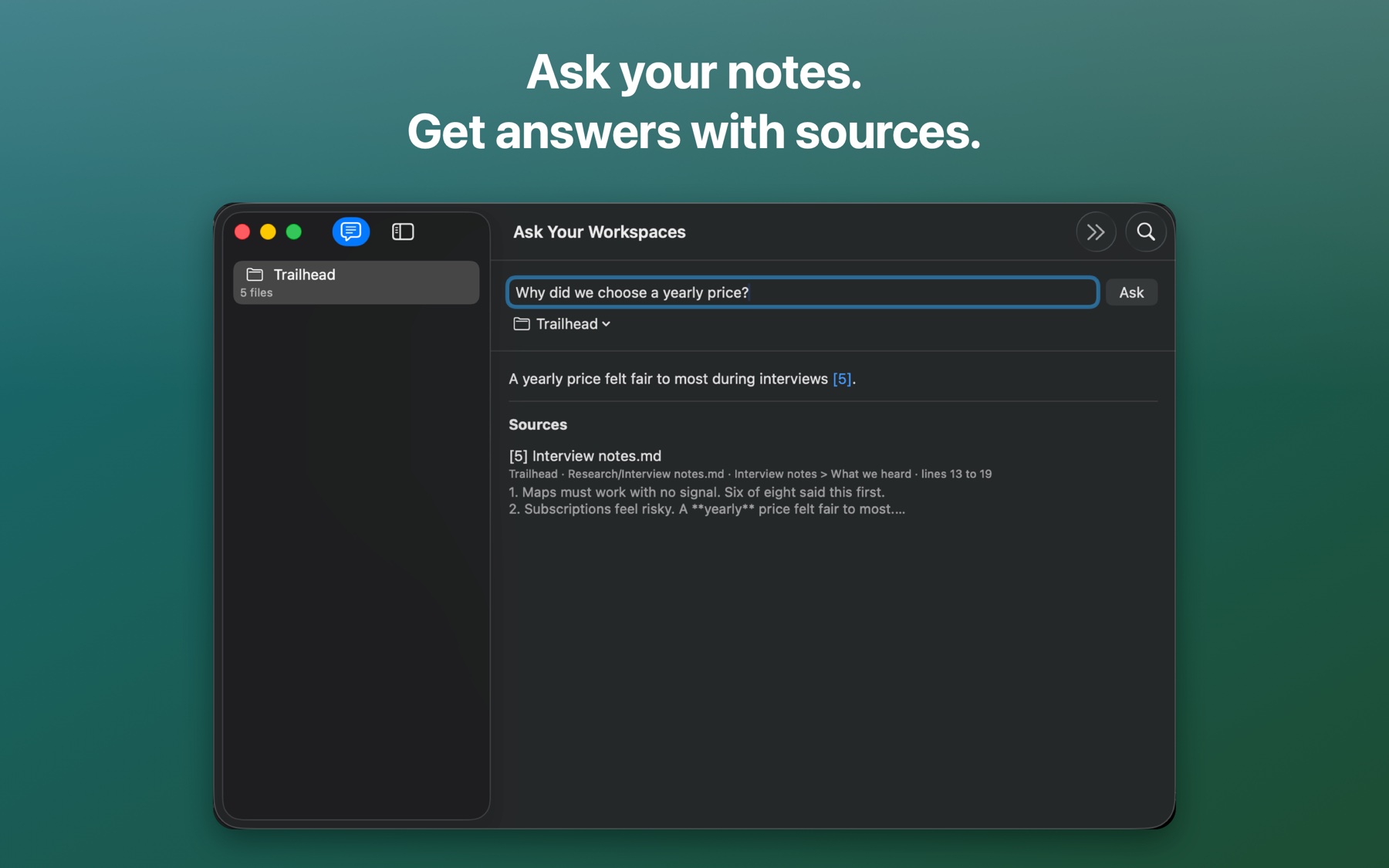
Ask a question across one workspace or all of them. The answer cites numbered sources with line numbers, so you can check it. A statement with no source gets a warning. Ask only reads. It never edits.
A yearly price felt fair to most during interviews [5].Example. [5] is Interview notes.md, lines 13 to 19.
Search by meaning, on your device
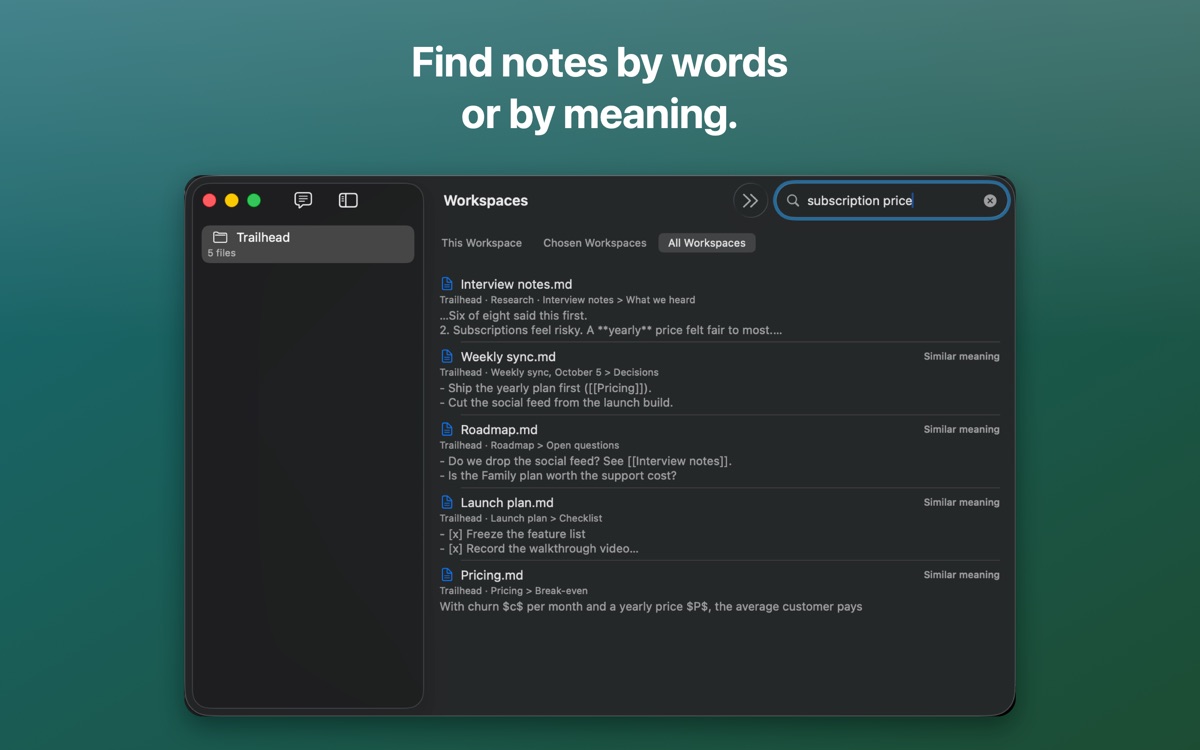
An on-device index finds notes by exact words and by meaning, across one workspace or all of them. It covers every language your OS has a model for, and a model you download (EmbeddingGemma 2 or Qwen3 Embedding) covers 100+. Nothing leaves your Mac.
Related notes while you write
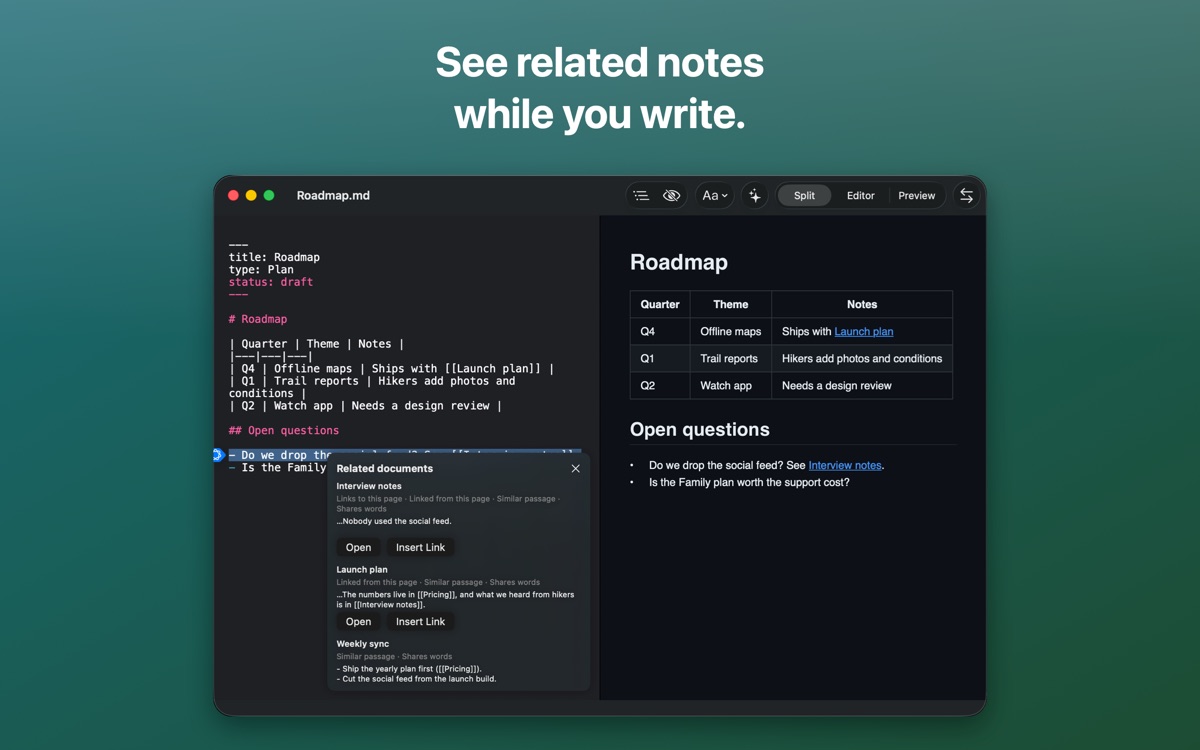
A card shows the notes that link here, the ones you link to, and passages that say something similar. Open one, or insert a link in a click.
AI you control
Fen sends no AI request until you add a provider: Apple's on-device model, a Gemma 4 model you download, Ollama, or any OpenAI-compatible service. Each workspace sets what AI may see. Ask AI, Enrich and agents all change a note through one gate. You start it, you see the change, and Undo reverts it.
Ready for agents (Mac)
An optional MCP server listens on 127.0.0.1 only and is off by default. Each client gets its own token and its own workspaces. An agent commits to its own branch and your checkout stays put.
Workspaces
Add as many folders as you like, with or without git. Fen lists their notes without opening each one, and writes nothing into your folders apart from an optional schema file.
Wiki-links and backlinks
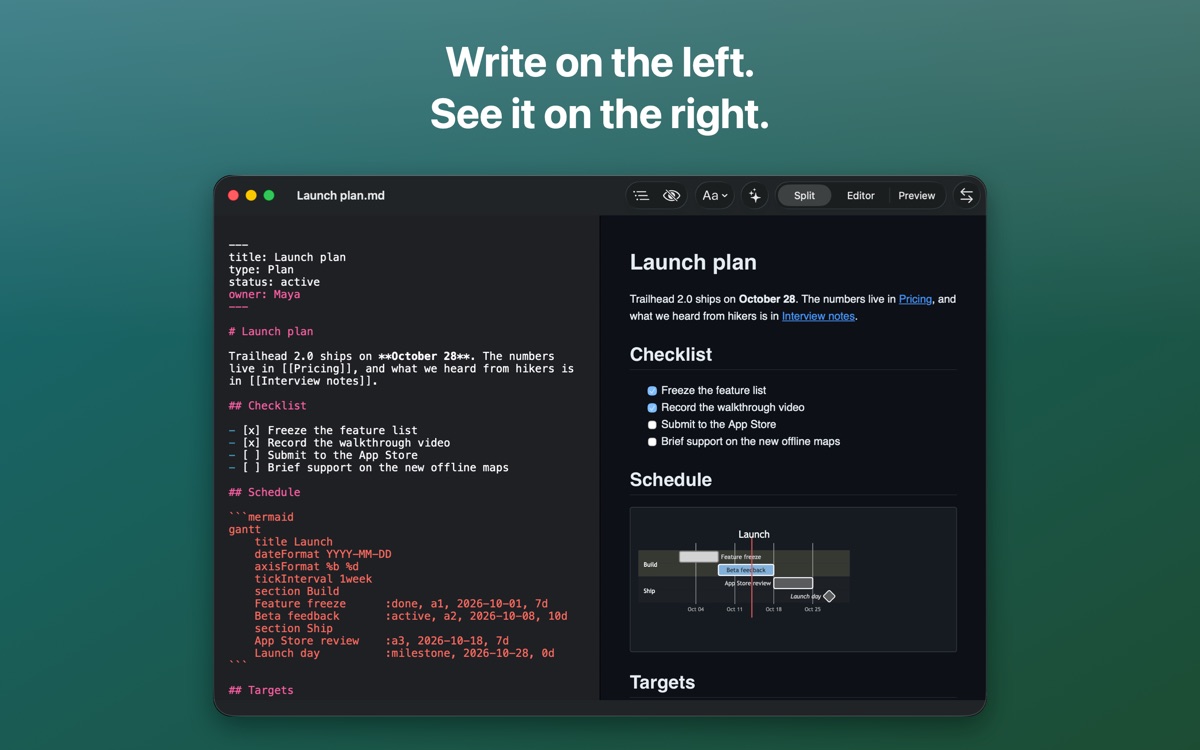
Link notes with [[name]], [[name|text]] or [[name#heading]]. A backlinks list shows the notes that link here, even ones you have not opened.
Live preview, scroll-synced
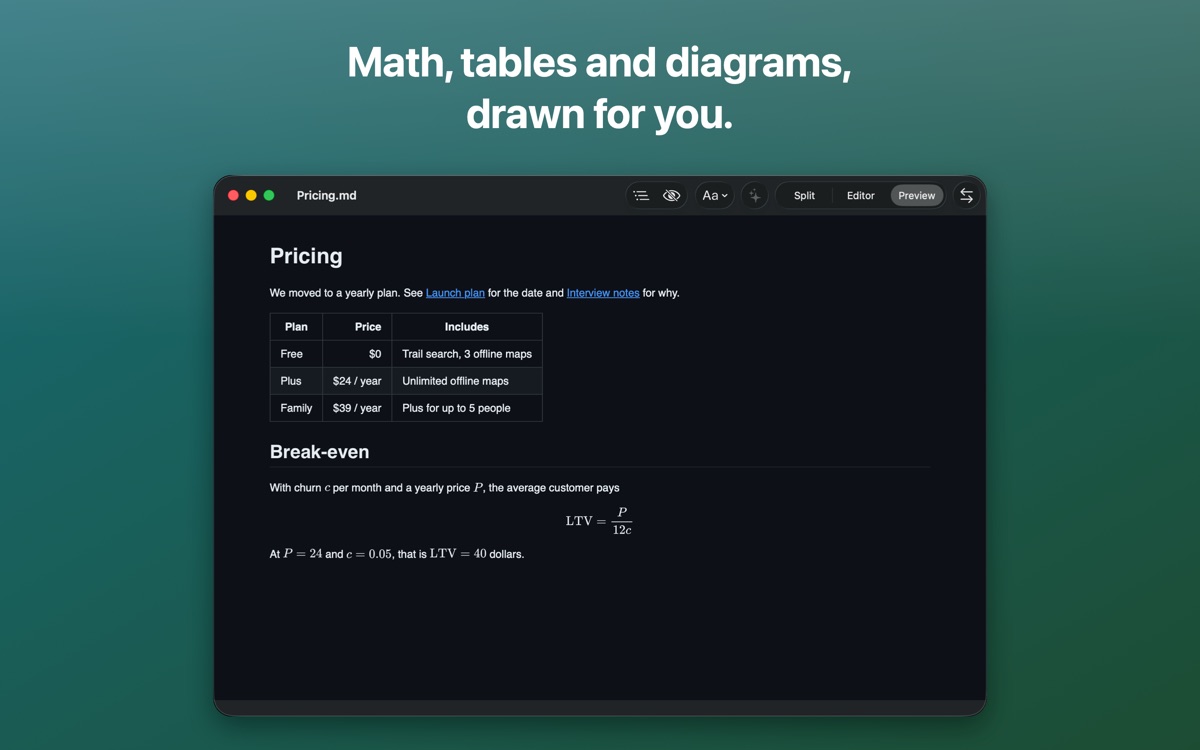
GitHub-Flavored Markdown, syntax highlighting, MathJax and Mermaid render as you type. An optional Live Preview mode (Experimental) styles the source in place.
Document types
Define types and fields in a plain schema.yaml. Edit typed properties in the app. Hints flag a near-miss, and they never block a save.
GitHub sync
Clone a repository as a workspace, then pull and push with a token limited to that repository, kept in the Keychain. On iPhone, Fen copies the repository through the GitHub API. Conflicts wait for your choice.
Version history
See the earlier versions the system keeps for a note. On iCloud, your other devices' recent versions show up too.
iPhone and iPad
The same editor with keyboard shortcuts, a share sheet in and out, and one pane at a time on a narrow screen.
Native, free and open source
Written in Swift and SwiftUI on Apple Silicon. MIT license, no account, no telemetry. Every script ships inside the app.
See it in action
How Fen compares
Most tools make you pick between files you own and AI that helps. Fen keeps both.
| Fen | Obsidian | Notion | Bear | iA Writer | |
|---|---|---|---|---|---|
Notes are plain .md files in your folders | Yes | Yes | No, a cloud workspace | No, a database | Yes, plus an Authorship block in the file |
| Apps for Mac, iPhone and iPad | Yes, native Swift | Yes, Electron on desktop | Yes | Yes | Yes |
| Search by meaning, on your device | Yes | Plugins only | Yes, in the cloud | Not found | No, words only |
| Answers cite their sources | Yes, with line numbers | Not in the core app | Yes | No built-in AI | No built-in AI |
| Choose your own AI | Yes: on-device, Ollama or any compatible endpoint | Through plugins | No, Notion picks the model | Bring your own assistant over MCP | No AI features |
| Approval and Undo for AI edits | Yes, one gate for all of them | Not in the core app | Accept or discard, version history | Depends on your assistant | No AI edits |
| MCP server for agents | Yes (Mac), each agent on its own git branch | Community servers | Yes | Yes (Mac) | Not found |
| Set what AI can read, per workspace | Yes: none, local only or any provider | No built-in AI | No | By tag, over MCP | No AI |
| Flags notes that contradict each other | Yes | Not found | Not found | Not found | Not found |
Open any .md file where it is | Yes, any folder on disk | Inside a vault | Imported as a copy | Imported | Through Library locations |
| Clone a GitHub repo and sync with pull requests | Yes (pull requests on Mac) | Plugin | No | No | Not found |
| Export to HTML and PDF from the command line | Yes, fen-export | No | No | No | No |
| License | Free & open source (MIT) | Closed. Free app, Sync from $4 a month, AI plugins cost extra | Closed. Free plan, AI needs Business at $20 a member a month | Closed. Free app, Pro $2.99 a month | Closed. $49.99 once, per platform |
Checked against each tool's official pages on 15 October 2026. Tools change, so check theirs before you decide. Found a mistake? Tell us and we'll fix it.
Install
Mac: download
Get Fen.app.zip from the latest release, unzip it, and drag Fen to Applications. Choose Fen > Check for Updates… to update.
Mac: Homebrew
Install and upgrade with a tap.
brew tap zoharbabin/fen https://github.com/zoharbabin/fen
brew install --cask fen
iPhone, iPad and the Mac App Store
Not in the App Store yet. One listing will cover Mac, iPhone and iPad. Until then, use the Mac download above.
Build from source
Clone the repository and run swift build. The README has the steps.
What's coming?
A snapshot of the full roadmap. Missing something? Propose a feature or share an idea in the issues.
Get involved
Issues, bug reports and pull requests are welcome.